Emails and reminders on Janeway
Emails and reminders on Janeway pageJaneway uses email to support many key editorial and publishing workflows, including reviewer invitations, decision notifications, revision requests, publication alerts, and automated reminders.
This section explains:
- How to check what emails were sent and when.
- How to customise email content through templates and how to work with email template variables.
- How to set up automated reminders.
- How to set up publication notifications.
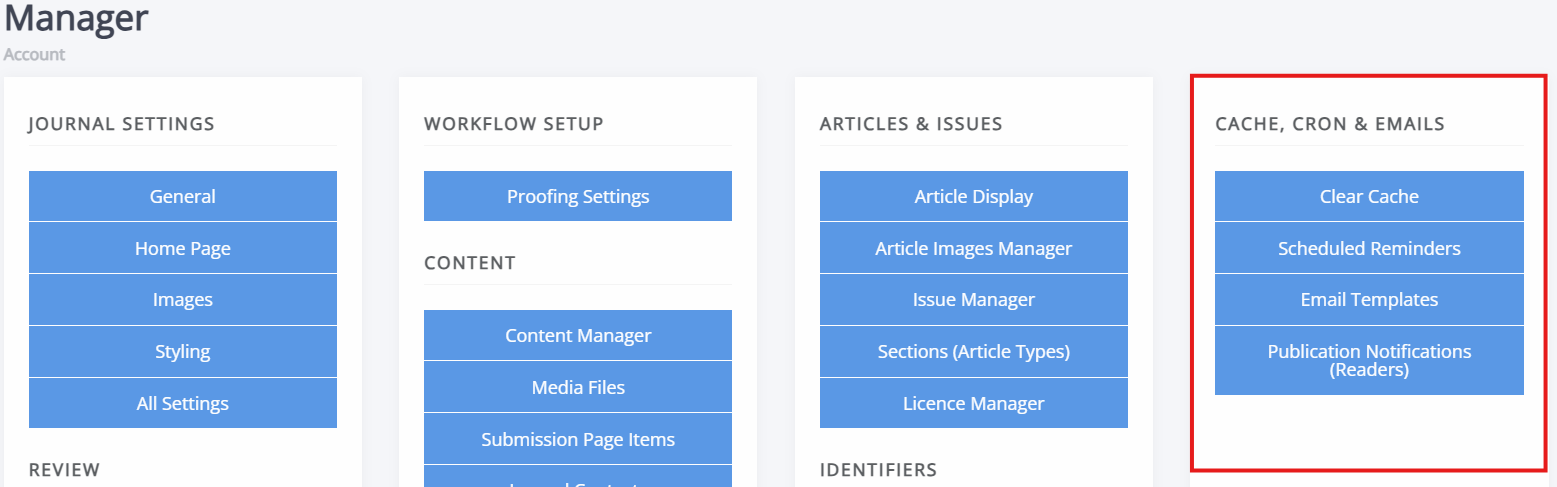
The pages to control these are found through the Manager dashboard, under Cache, cron and emails.
How email works in Janeway (at a glance)
How email works in Janeway (at a glance) section- Emails are sent automatically or manually as part of article workflows.
- All outgoing emails related to an article are logged.
- Depending on your email service, delivery status information is available through the email log as well.
- Some emails (such as reminders and notifications) are sent automatically based on dates or events.
- Email content can be customised per journal using templates.
Note
Due to GDPR restrictions, Janeway does not offer any options for email campaigns.
Common questions
Common questions section-
“A reviewer says they didn't get the email — what should I do?”
Start with email logs to confirm whether the email was sent and, if necessary, resend it. See Email logs for more information. -
“I want to change the wording of reminder emails.”
Edit the relevant template under Email templates. Use information in Email template variables to insert information safely. -
“Why didn't a reminder email send?”
Check scheduling reminders and confirm that due dates were set correctly. If reminders still do not send, contact your system administrator. See Scheduling reminders for more information. -
“Can readers (un)subscribe to/from publication notifications?”
Yes. Readers manage their notification preferences via their profile page. See Publication notifications for more information.
If something is unclear or you are unsure whether a change is safe to make, contact your system administrator.