Account troubleshooting
Account troubleshooting pageActivate your account
Activate your account sectionIf you are sure your password is correct and you cannot login, your account has likely not been activated yet.
This is usually resolved either by:
-
Requesting a password reset link. This will send you an account activation email, if your account has not yet been activated. If your account was not created by you (or an editor) but was imported into Janeway, this will not work. You will need to use the option below.
-
An editor or journal manager activating your account. (If you are an editor or journal manager, see Activating a user account for more information).
Activating a user account
Activating a user account sectionSee: Activating accounts
New password
New password sectionReset your password
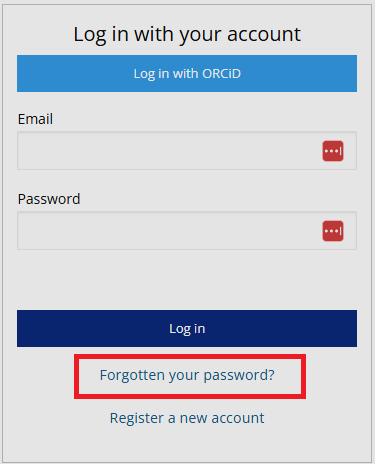
Reset your password sectionIf you have forgotten your password and need to reset it:
- Click Forgotten your password?
- Enter your email address.
- Click the Request token button.
- Open your email inbox and locate the password reset email. The email subject will be "[journal name] Password Reset". It can take a few minutes to arrive and may arrive in your spam folder.
- Click the link in the email.
- Fill in the password fields to set a new password.
If you have not received the password reset email, contact Support.
Update your password
Update your password sectionIf you know your Janeway password and want to update it:
- Log into the journal.
- Click on the circle with your initials or profile picture in the top-right corner and select Profile.
- Go to the Update password block and fill in your current and new passwords in the respective fields.
- Click the Update password button.