Activating accounts
Activating accounts pageThis page explains how to check whether a user account has been activated and how to activate inactive accounts. As users must activate their account before they can log in to Janeway, inactive accounts are a common cause of login issues.
Inactive users
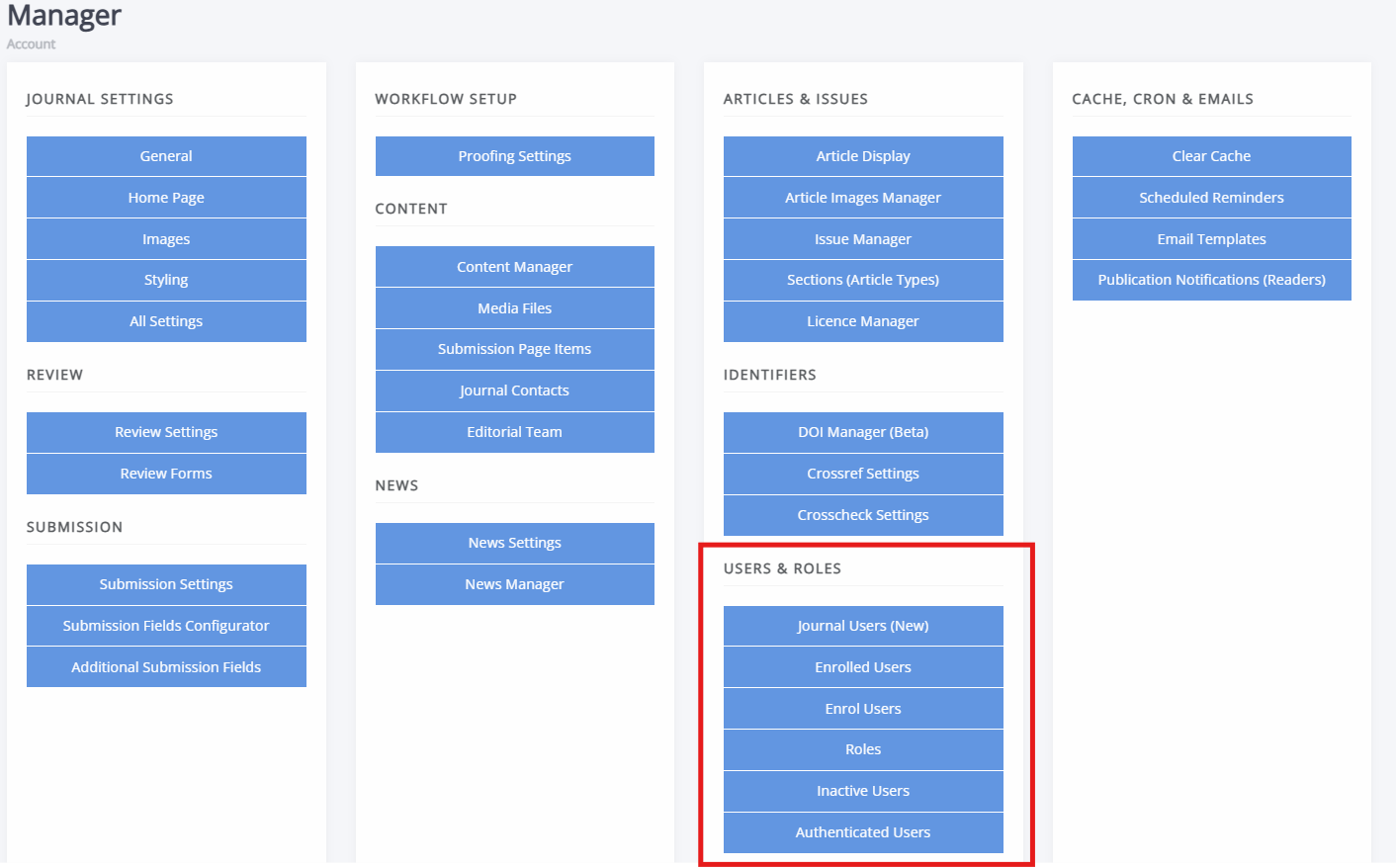
Inactive users sectionThere are two places from which to check and manage the activation status of accounts:
- Journal users
- Inactive users
Both are found under Users & roles on the Manager dashboard. The Journal users page is available to editors and journal managers, whereas the Inactive users page is accessible to staff only.
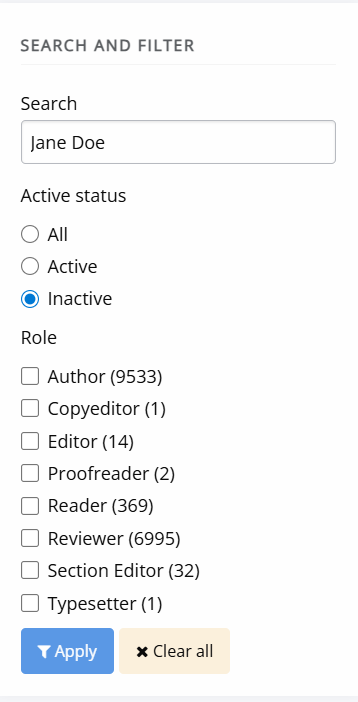
To view inactive users:
- Open Journal users.
- Use the filter on the left-hand side.
- Set Status to Inactive.
- Click Apply.
This will list all inactive users on the journal. You can also search by name or email address.
The Inactive users page lists all inactive users across the press who have not yet activated their accounts.
Activating accounts
Activating accounts sectionOnce you have identified an inactive account through either Journal users or Inactive users:
- Go to Journal users on the Manager interface.
- Find the user in question through the searchbox and/or filter by account activation status.
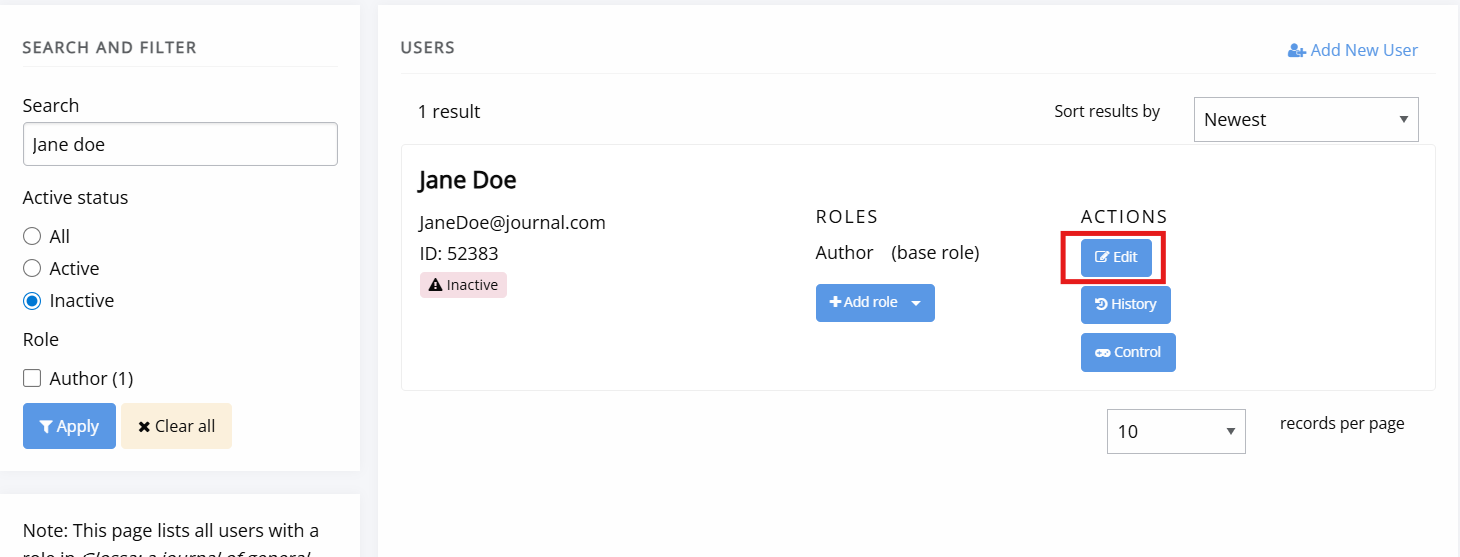
- Click Edit for the appropriate user.
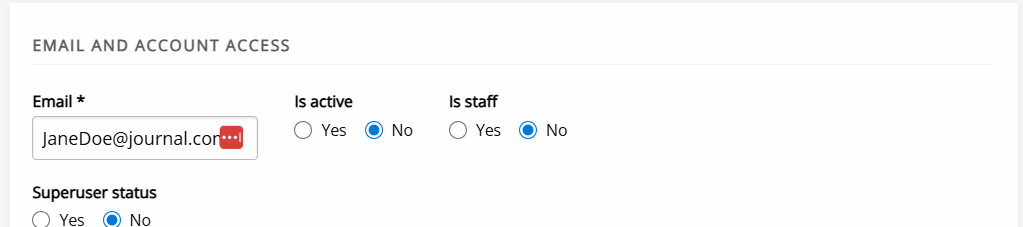
- Set the account activation toggle to Yes.
- Make sure to save the change made by clicking the Save button at the bottom of the page.
- The account is now active.
The user will now be able to log in to the journal.
Troubleshooting account activation
Troubleshooting account activation sectionUsers usually activate through a link sent to them. Activation emails cannot be easily resent, if the user cannot find the original. The solution is for the user to click the password reset link. If they receive the password reset email and click on that link, Janeway activates their account in addition to resetting their password.
Completing the account activation step does not trigger an email. The user only receives a message saying “Account activated” at the top of the login screen, which is where they are sent next.
Troubleshooting ORCID activation
Troubleshooting ORCID activation sectionAfter completing account registration via ORCID, users may or may not need to complete the activation step.
If the user has made an email address public on orcid.org, then Janeway is able to get an email from ORCID, and it can be confident the user did not make a mistake entering their email address, so there is no need to make them find an email link to activate their account. It just logs marks their account as active.
However, if no email is public on orcid.org, Janeway can’t be as sure of the email, so it requires the user to do account activation by emailing them a link. Email-based account activation is also triggered if the user logs in via ORCID, reaches the Janeway registration page with email from ORCID pre-populated, and then changes the email address in registration form, because again Janeway can’t be sure the email has no typos, and it is important for it to be correct, so that users do not lose access to their account if they forget their password.
Troubleshooting author account activation
Troubleshooting author account activation sectionAuthor accounts don’t get activation any differently from other accounts. It just depends whether someone has logged in to Janeway fully. You can’t log in without activating your account, and you can’t submit an article (as main author actually doing things in Janeway) without being logged in.
Historically, accounts were created for all co-authors, and they were inactive by default (except for the submitting author--theirs was active). But this is no longer the case from version 1.8. Only author records are created, not accounts. So if co-authors want to create accounts, they need to do the same registration and activation steps as everyone else.
Troubleshooting reviewer account activation
Troubleshooting reviewer account activation sectionFrom version 1.8, reviewers are able to review things without logging in, so they won’t have to have active accounts unless they have another reason to. The exception is if a journal has turned one-click review off.
From version 1.8 onwards, inactive review accounts are also visible in the editor's reviewer selection screen.
Usually the reason accounts are not active is because activation is off by default, and the user has to activate with the email link, or through another mechanism like ORCID or OIDC, where Janeway can be confident the email address is correct.
There is one scenario in which the system changes previously active accounts to inactive: if the user starts the email change process, the system marks the account inactive and requires activation via email link, so we can be sure the email doesn’t contain typos.