Managing user accounts
Managing user accounts pageThe Users and roles section of the Manager dashboard has various controls for managing users and permissions. Who can manage what will depend on their role and permissions associated with it.
Editors and journal managers can:
- Manage user accounts at the journal level.
- Assign and remove roles for users on the journal.
- View and update account activation status.
Staff have additional controls for:
- Viewing all accounts for the press (Janeway installation), including their journal roles and activation status.
- Merging duplicate user accounts.
These additional controls are only available at the press level.
Journal users
Journal users sectionIf you are an editor, journal manager or staff member, you can manage user accounts for a journal via the Journal users page.
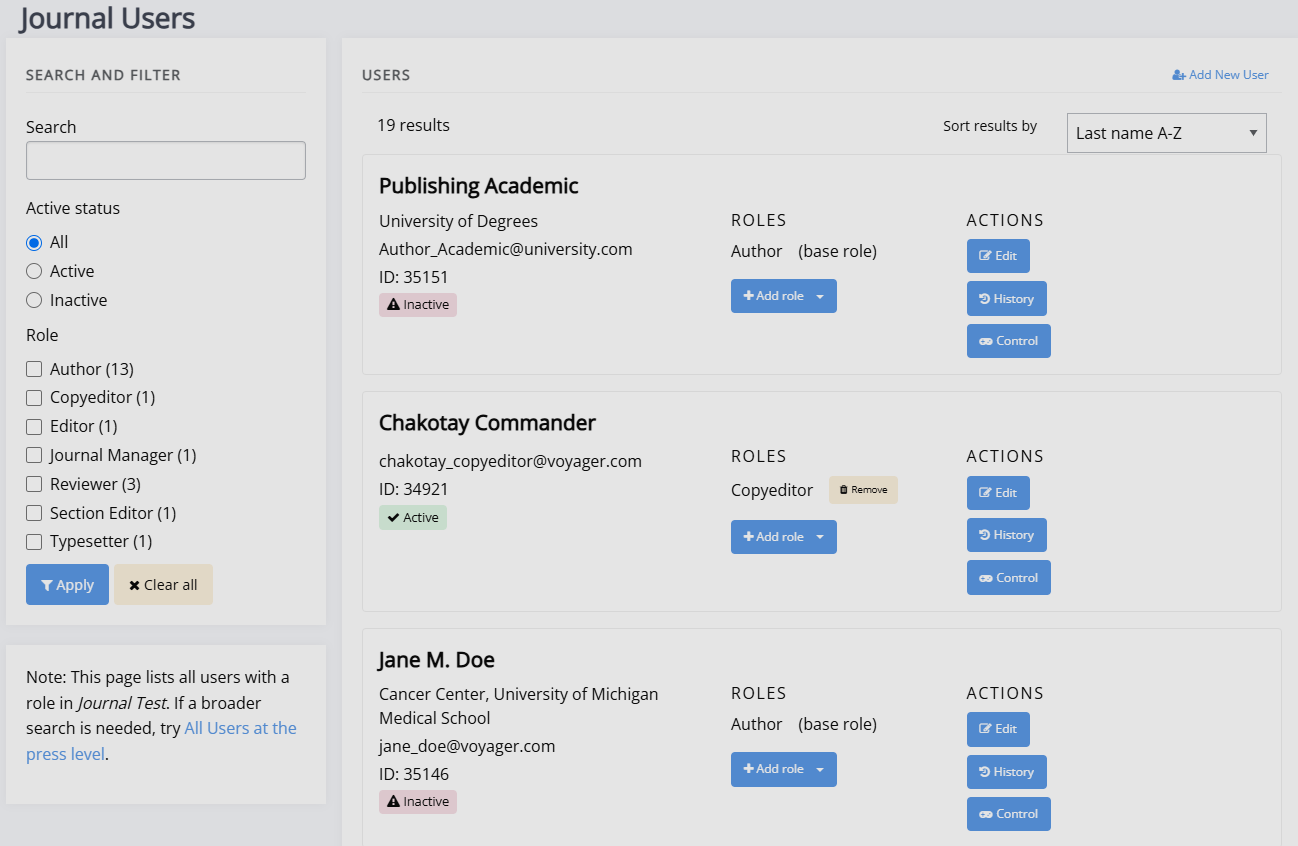
From this page you can:
- Search by name, email address, ORCID, institution, or biography.
- Filter users by role and account activation status.
- Add or remove journal roles.
- Edit user account details.
- Create new user accounts where required.
Each user's assignment history (for example, editorial or review activity) is also available from this view.
This page cannot be used to delete accounts, only deactivate them. Accounts can only be deleted using through the Admin area .
All press users
All press users sectionStaff users can access a press-wide view of all accounts across press / the Janeway installation. This view is available from the Press manager interface only.
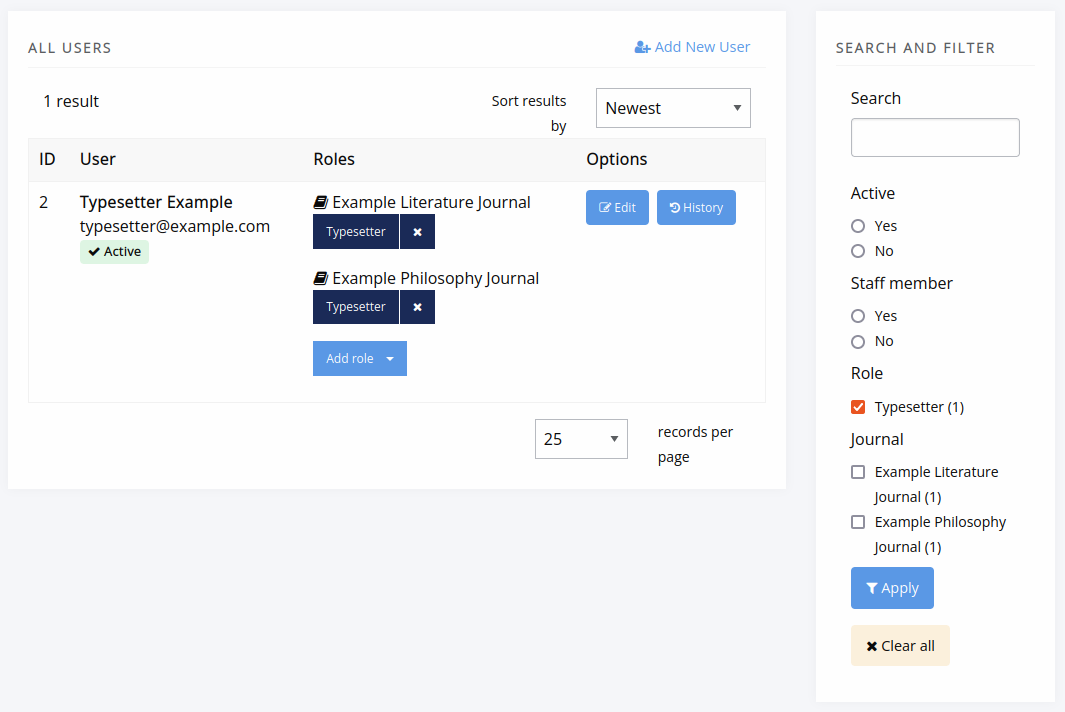
At press level you can:
- Filter users by journal role and staff status.
- Manage roles across multiple journals.
- Perform all actions available to editors at journal level.
Editing user accounts
Editing user accounts sectionClick Edit next to a user to open the Edit user interface, where you can update a user's account details.
Some changes are restricted by permission level. For more information, see the Permissions page.
Important
Editing a user account does not change author metadata on articles that have already been accepted.
To update author details on an accepted article, you must edit the frozen author record on the article's metadata page.
Merge users (staff only)
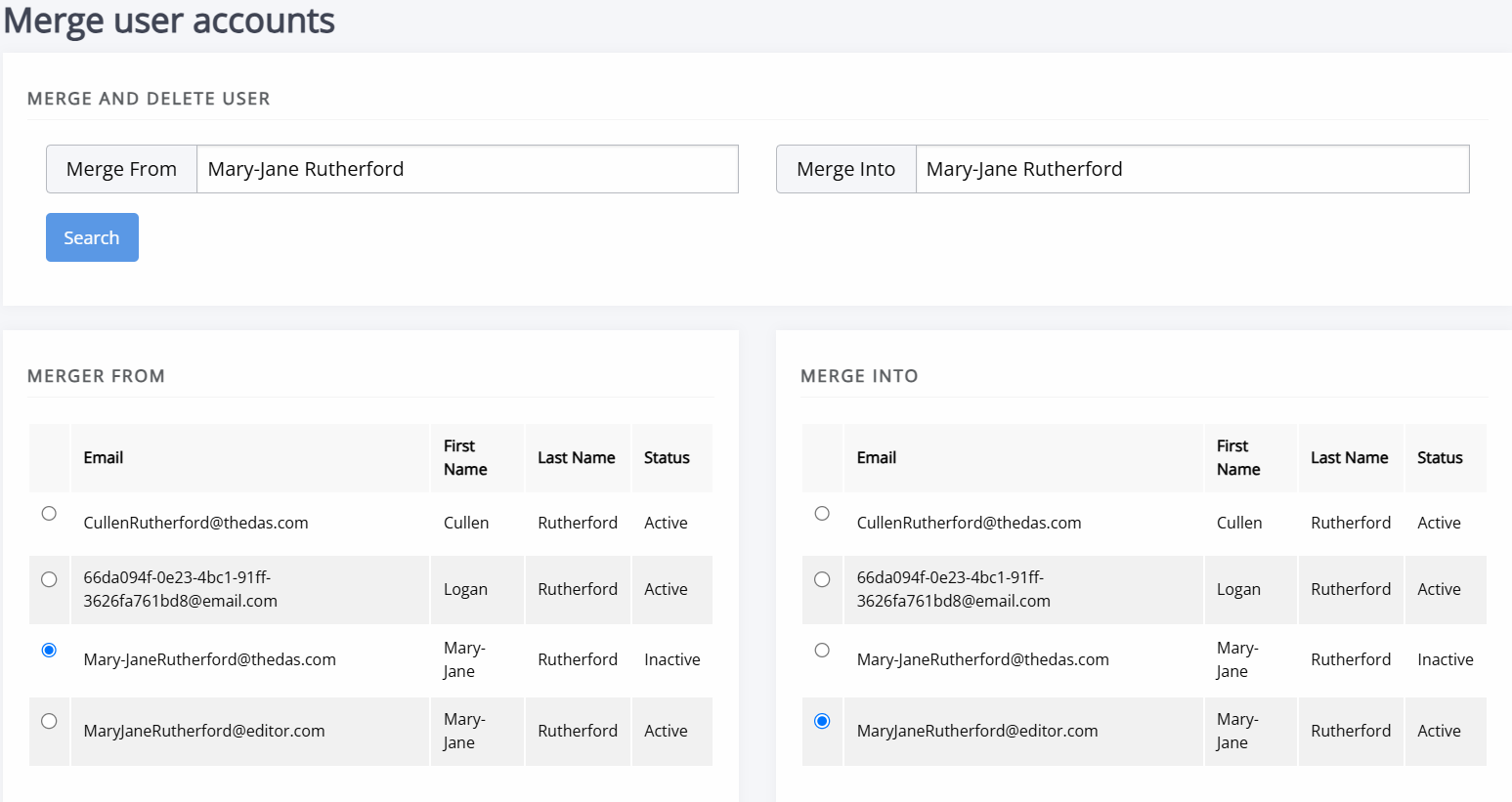
Merge users (staff only) sectionWhen users have multiple accounts (often due to different email addresses having been used), it may be helpful to merge accounts. Users with staff permission can merge two user accounts to remove duplicates, using the Press manager interface. When searching for users to merge, note that the user account in the left column (source account) will be merged into the user account in the right column (destination account).
Warning
An account merge cannot be undone. Only merge account when you are certain they can be merged.
When accounts are merged:
- All associated items (including articles, tasks, roles, and files) are transferred from the source account to the destination account.
- The destination account profile is retained.
- Any profile information from the source account is permanently lost. This includes information like email, name, ORCID ID, social media usernames, and preferences about things like profile visibility and preferred timezone.
Authenticated users
Authenticated users sectionThe Authenticated users page shows a list of users currently logged in to your Janeway installation.
This page is only accessible to users with staff permission.