Reporting plugin
Reporting plugin pageThe reporting plugin can be found by clicking Plugins in the right-hand sidebar and selecting Reporting plugin.
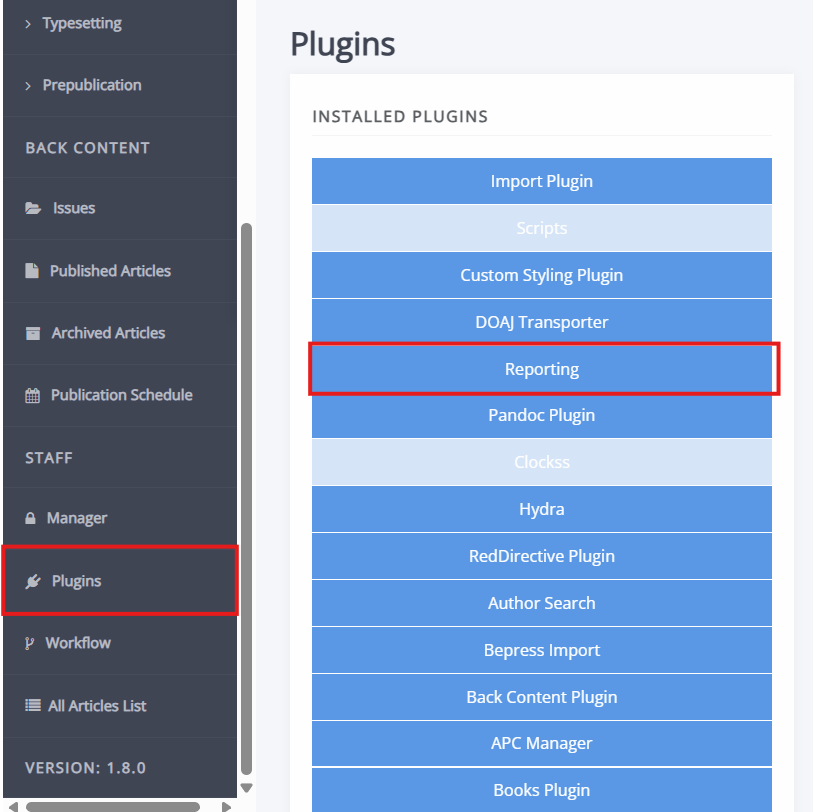
This plugin produces a range of reports for analytics within Janeway. These reports include:
- Press report
- Journal usage by month
- Article metrics
- Geographical spread
- Peer review report
- Article citations
- Article authors
- Journal citations
- Book citations
- Crossref DOI URLs
- Licence report
- Workflow report
- Experimental reports
Press report
Press report sectionThis report summarises the overall performance of the press, including analytics around the number of publications and usage data across journals. This report uses the dates specified in the filter when retrieving data.
Tip
If you wish to review statistics over a year, it is recommended to set the end date not on 31/12/yy but on 01/01/yy of the year following.
The first three columns (submissions, published submissions and rejected submissions) use the submission date as their data point.
Journal usage by month
Journal usage by month sectionThis report shows usages (views and downloads) grouped by month per journal.
Article metrics
Article metrics sectionThis report provides view and download metrics grouped by article for a given journal. You select the journal on the reporting plugin page.
Geographical spread
Geographical spread sectionThis report provides views and downloads grouped by country. The data provided in this report is approximate and not suited for in-depth analytics.
The numbers may not perfectly add up to numbers found in other reports. This is due to the fact that not all visits will have country data available (users may hide this data when visiting websites).
Peer review report
Peer review report sectionThis report shows reviews and their time to completion. It also displays submissions, accepted submissions, rejected submissions and completed review assignment in the period specified in the filter. The date on which a review was requested will determine inclusion in the table.
Article citations
Article citations sectionThis report shows article citations. It can either show citations per year or of all time. For a citation to be countable, the citing article needs to have a DOI deposited with Crossref.
Tip
It is recommended to deposit citations and produce XML to improve article citation accuracy.
Article authors
Article authors sectionThis report lists articles by author published in the period specified in the filter. It displays their name, email and affiliation, as well as the article ID and title, and the date published.
Note
Author records are frozen upon article submission. This information is not updated over time.
Journal citations
Journal citations sectionSimilar to the article citations report, this report shows journal citation totals, based on Crossref data. You will also be able to see the citing journal for each article citation by clicking through using the links in the right column.
Book citations
Book citations sectionThis report shows total book citations using Crossref data.
Crossref DOI URLs
Crossref DOI URLs sectionThis report can be used to generate TSV files that can be shared with Crossref to perform bulk updates. You can either use it to update URLs linked to DOIs stored in Janeway or to update full-text URLs for updating Crossref Similarity Check.
Licence report
Licence report sectionThis report shows the number of article using specific licences in the period specified in the date filter. The date filter for this report uses the date an article was published.
Workflow report
Workflow report sectionThis report provides average times for:
- Submission to acceptance
- Acceptance to publication
- Submission to publication
Data is presented in a series of averages followed by a table of data. The date filter uses the date an article was published to determine inclusion into the report.