Janeway content manager
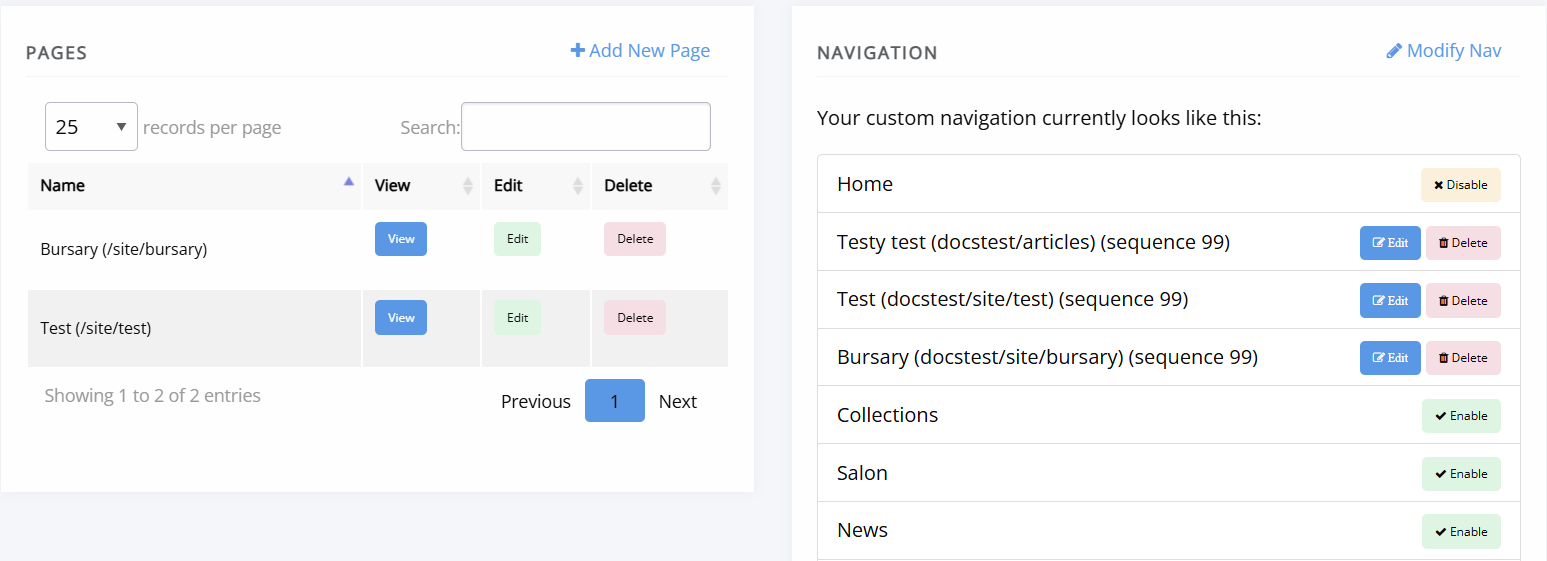
Janeway content manager pageThe Content manager provides access to Janeway's built-in content management system (CMS). It allows you to create and edit static pages for your journal, such as privacy notices, policies, or "About" pages, using a rich-text editor.
Add a new page
Add a new page sectionTo add a new page to your journal website, click + Add new page and fill in the fields as detailed in their helptexts.
For information on embedding media files within a page, see Media files.
Pages are immediately public after saving them.
Page URLs
Page URLs sectionWhen you create a new page, Janeway automatically generates its URL using the following parts:
- Your journal's domain name (for example,
orbit.openlibhums.org). - The path element
/site/, which is used as a namespace for custom pages. - The value entered in the Link field.
An example: https://orbit.openlibhums.org/site/privacy
For information on adding new pages to your site navigation, see Navigation.
Edit a page
Edit a page sectionThe content manager displays a list of all custom pages available on your journal. Click Edit to make changes.
Changes take effect immediately once saved. If you do not see them displayed on the journal page, you may need to refresh your cache.
You can see a page's editing history by clicking View history at the bottom of the edit page.
Delete a page
Delete a page sectionTo delete a page use the Delete button, on the content manager page.
Warning
Deleted pages cannot be recovered. Make sure you no longer need the page before deleting it.