Editorial team
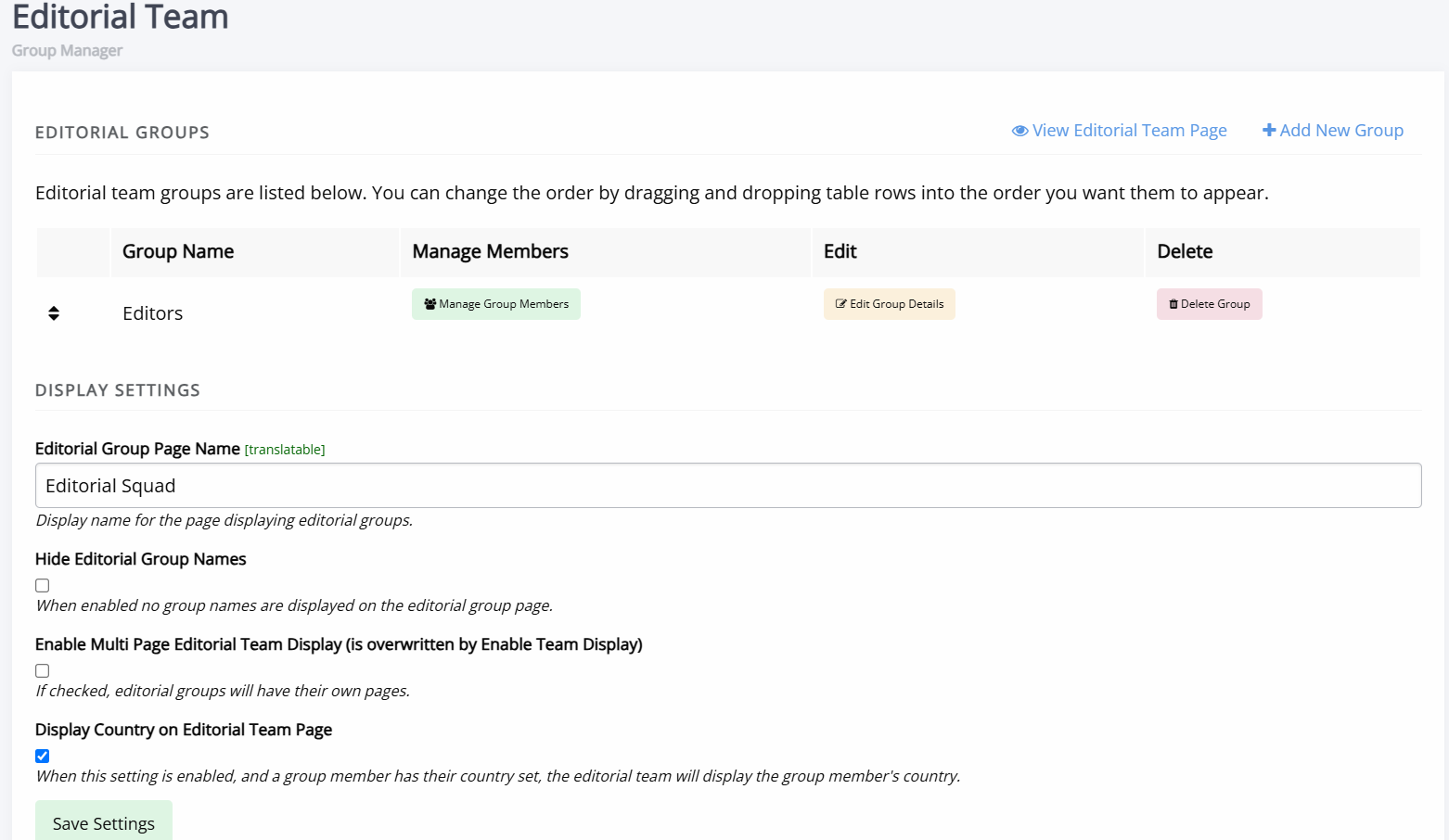
Editorial team pageThe Editorial team interface allows you to create and manage the groups displayed on your journal's Editorial team page. It is accessed from the Manager dashboard, under Content.
On this page you can:
- Add and delete editorial groups.
- Edit groups' details and manage members.
- Configure the display name for the editorial team page.
- Configure settings related to the display of editorial groups.
There is no limit on the number of editorial groups you can create or how many members they can contain.
Adding someone to an editorial group does not assign them the editor role and it does not affect the permissions given to a user. Editorial groups are used for display purposes only.
Creating a new group
Creating a new group sectionCreating a new group allows you to add members and display them on the Editorial Team page. Each group is headed by the group name you supply.
-
Name
The group name, e.g. "Editorial team" or "Advisors". -
Description
Displayed under the group name on the editorial team page. This field supports rich text and can be used to add additional information about the group. -
Sequence
Controls the order in which groups appear on the page. You can reorder the groups by editing their sequence number or by dragging and dropping them in the list.
Editing a group
Editing a group sectionTo edit an existing group, click the Manage group members button.
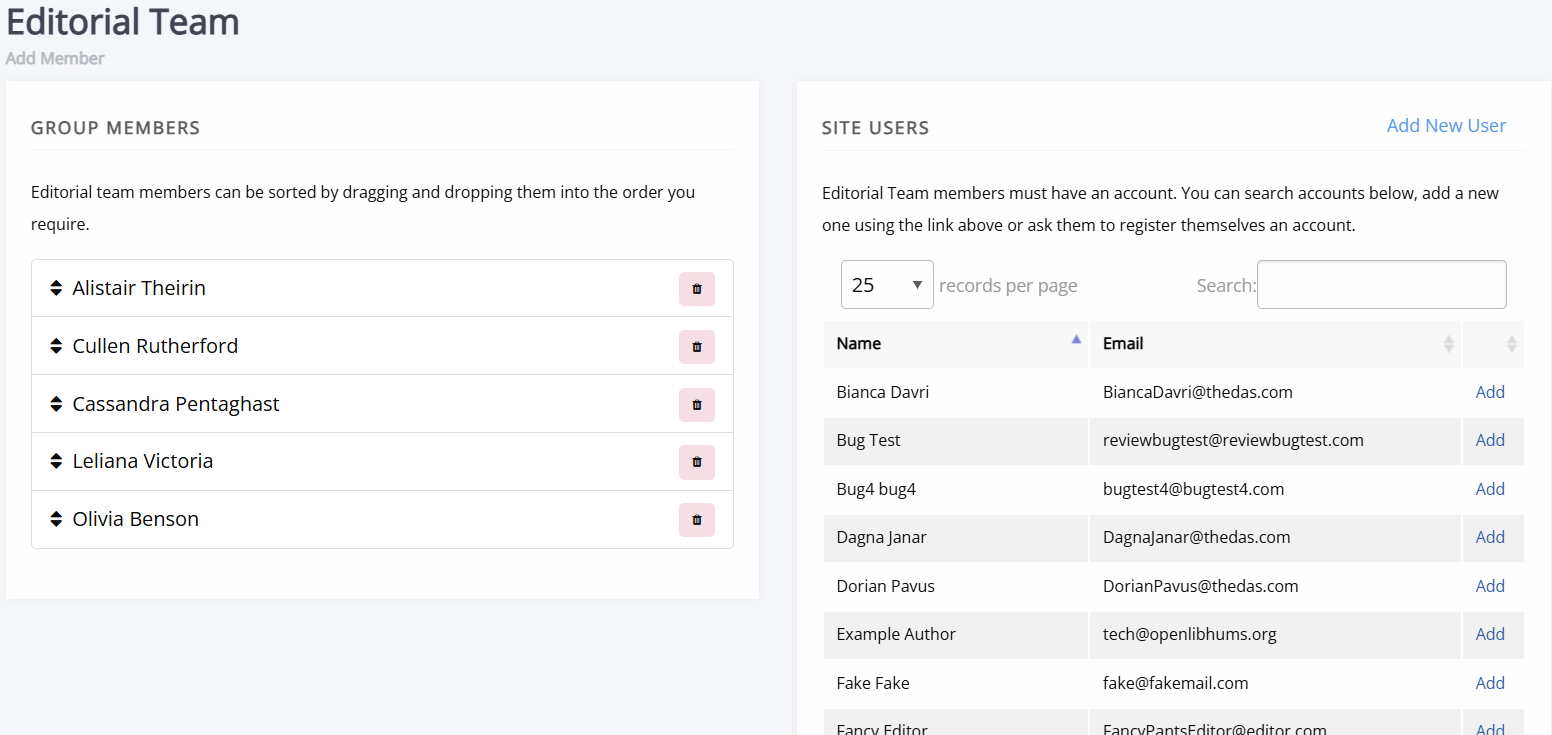
On the left-hand side, you will see a list of current group members. From here you can:
- Remove a member from the group.
- Reorder members using drag and drop.
To add someone to an editorial team, they need to have a Janeway account. A list of available journal users will be visible on the right-hand side of the page. You can search this list and use the Add button to include a user in the group.
If someone does not have an account yet, you can either invite them to create an account or create one on their behalf by clicking Add new user.
If you are setting up a group where multiple users do not have accounts yet, you may wish to use the editorial team import process instead. This process allows you to create editorial groups where the members do not yet have accounts.
Alternatively, if you do not want to create a Janeway account for every individual, you can list names directly in the Group description box. This field supports HTML and uses a rich-text editor, so you could list the editors using formatted text (for example, a bulleted list).
Editorial group display settings
Editorial group display settings sectionThe following settings control how editorial groups and members are displayed on the editorial team page.
-
Editorial group page name
The display name of the page that lists your editorial groups. -
Hide editorial group names
When enabled, group names are not shown on the editorial team page. -
Enable multi-page editorial team display
When enabled, each editorial group is displayed on its own page. This setting is overwritten by Enable editorial team display. -
Display Country on Editorial Team Page When enabled, and where a group member has an affiliation that has a country listed, the country will be displayed next to their name. If no country is set, nothing is shown.
Note
Enable editorial team display is found in All settings and determines whether the editorial team page is available as a default option for the navbar (which presumes a single page for the editorial team).